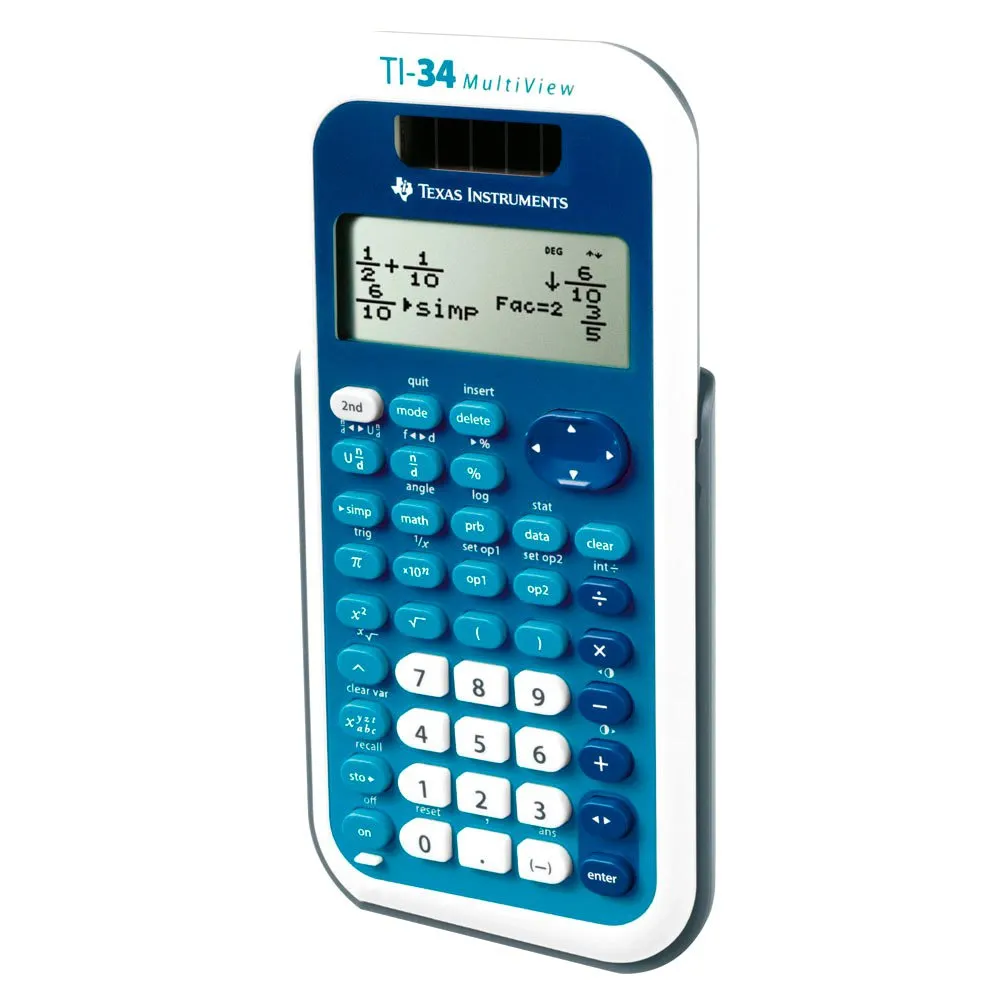



Texas Instruments TI 34 Multiview calculator
Price without code 27.49
RRP:
You save:
Price without subscription
VAT & duties included
No extra charges at delivery.
Color:
Your interest-free financing from with


My virtual fitting room
Other colors available


Perfect pairings
Reportar error
Features of Texas instruments TI 34 Multiview
Product description of Texas Instruments TI 34 Multiview calculator
Description summary
Explore complex math with the TEXAS INSTRUMENTS TI 34 Multiview calculator. Featuring a four-line display and MathPrint functionality, it allows for intuitive input and output of mathematical notation, including advanced fractions. Step-by-step fraction simplification, edit/cut/paste, and a scrollable history enhance usability. Solar and battery powered, it offers comprehensive functions for statistics, trigonometry, logarithms, and more, with easy resets and durable design
- Four line display
- One and two variable statistics
- MathPrint function
- Advanced fraction functions
- Fraction simplification step by step
- Edit, cut and paste entries
- Solar and battery operated
Integrated functions:
- Review and edit previous entries from a scrollable home screen
- Insert inputs or results in new calculations
- MathPrint mode for inputting math notation, including, square roots, fractions, percentages, and exponents, and outputting math notation for fractions
- CLASSIC mode for similar entries and compatibility with two-line predecessors such as the TI-34II
π symbol when entering, some calculations relating to π and π up to the last possible decimal place of the calculator-
- Shift key to change the answer form between fractional and decimal numbers, or between π terms and decimal numbers
- Conversions of fractions / decimals / percentages
- Change between illegal fractions and mixed numbers, plus another mode setting for the standard output of mixed numbers or fractions
- Function for simplifying fractions, with which a fraction is always simplified by a factor instead of automatically simplifying it to the smallest terms
- Integer division denotes quotient and remainder
- Random number generator and whole numbers
- MODE menu for selecting calculator mode settings
- Menu settings
- Functions that can be accessed directly via buttons or vertical menus
- Inversion button
- Two-constant operations to explore mathematical patterns
- Combinations and permutations
- Trigonometric functions including sin, cos, tan, inverse sin, inverse cos, and inverse tan
- Logarithms and antilogarithms
- Angle conversion from degrees to radians
- The square root function is the master key
- %, x², ¹ / x, p, x !, exponent key
- Fixed decimal mode option
- Basic data / list editor with three lists
- One and two variable statistics with input memory for statistics variables
- EOS: (Equation Operating System)
- Up to eight unfinished business
- Up to 23 bracket levels
- Debugging function
- Quick / easy resetting of the calculator via 2 buttons or via a menu during tests
- Seven memory variables. (x, y, z, t, a, b, c)
- Scientific notation
- x10n key for quick entry of powers of ten
Hardware:
- Easy-to-read LCD display with four lines of 16 characters
- Battery operation with the support of solar cells to extend battery life
- Automatic shutdown
- Hard plastic keys with color coding
- Anti-slip rubber feet
- Impact-resistant cover with quick overview map
Technical specifications of Texas instruments TI 34 Multiview
Technology in Texas Instruments TI 34 Multiview calculator
Energy rating
Warnings
/ 5
1 Reviews
What our customers are saying about Texas Instruments TI 34 Multiview calculator
Write a review about this product
Answer the question
Write your answer
The question has already been answered, thank you very much for trying to help another customer. We will count on you for future questions.
Use cases
Best for
Benefits
Ideal buyer profiles
Competitive features
Where it excels
Consider alternatives if...
Verdict
Specs comparison
Specs vs competitors
Tradeinn works with its own stock and with more than 2,000 suppliers connected daily. We update availability in real time to offer you the widest possible catalog, always at the best price. Some products may require additional delivery time depending on supplier availability.